

Make Your Website Look Better in Search Results and When Shared on Social Media
You finally launch your website, submit it to Google, paste the link into Facebook… and suddenly the title is wrong, the image is missing, or old information keeps showing up.
Sound familiar?
Good SEO isn’t just about ranking in search engines anymore — it’s also about controlling how your website appears when people share it across social platforms.
Here’s how to fine-tune your website for both search engines and Facebook sharing.
⸻
Step 1: Start with Traditional SEO Optimization
Search engines need clear information to understand your website.
Make sure every page includes:
✅ Unique page titles
✅ Meta descriptions
✅ Proper heading structure (H1 → H2 → H3)
✅ Image alt text
✅ Internal linking
✅ Fast loading speeds
✅ Mobile responsiveness
✅ Structured URLs
If you’re using WordPress, plugins make this much easier.
Popular options include:
* SEOPress
* Yoast SEO
* Rank Math
⸻
Step 2: Verify Your Site with Google Search Console
After optimizing your pages, connect your website to:
Google Search Console
Search Console allows you to:
* Submit XML sitemaps
* Request indexing
* Inspect URLs
* Find crawl errors
* Monitor search performance
* Identify pages Google can’t access
Pro tip: After making SEO changes, use URL Inspection and request indexing to speed up discovery.
⸻
Step 3: Optimize Your Social Sharing Data (Open Graph)
Ever share a page and Facebook pulls the wrong photo?
That usually means your Open Graph tags need attention.
Important Open Graph fields:
* og:title → Controls shared title
* og:description → Controls description text
* og:image → Controls preview image
* og:url → Canonical page URL
Many WordPress SEO plugins include Open Graph settings.
⸻
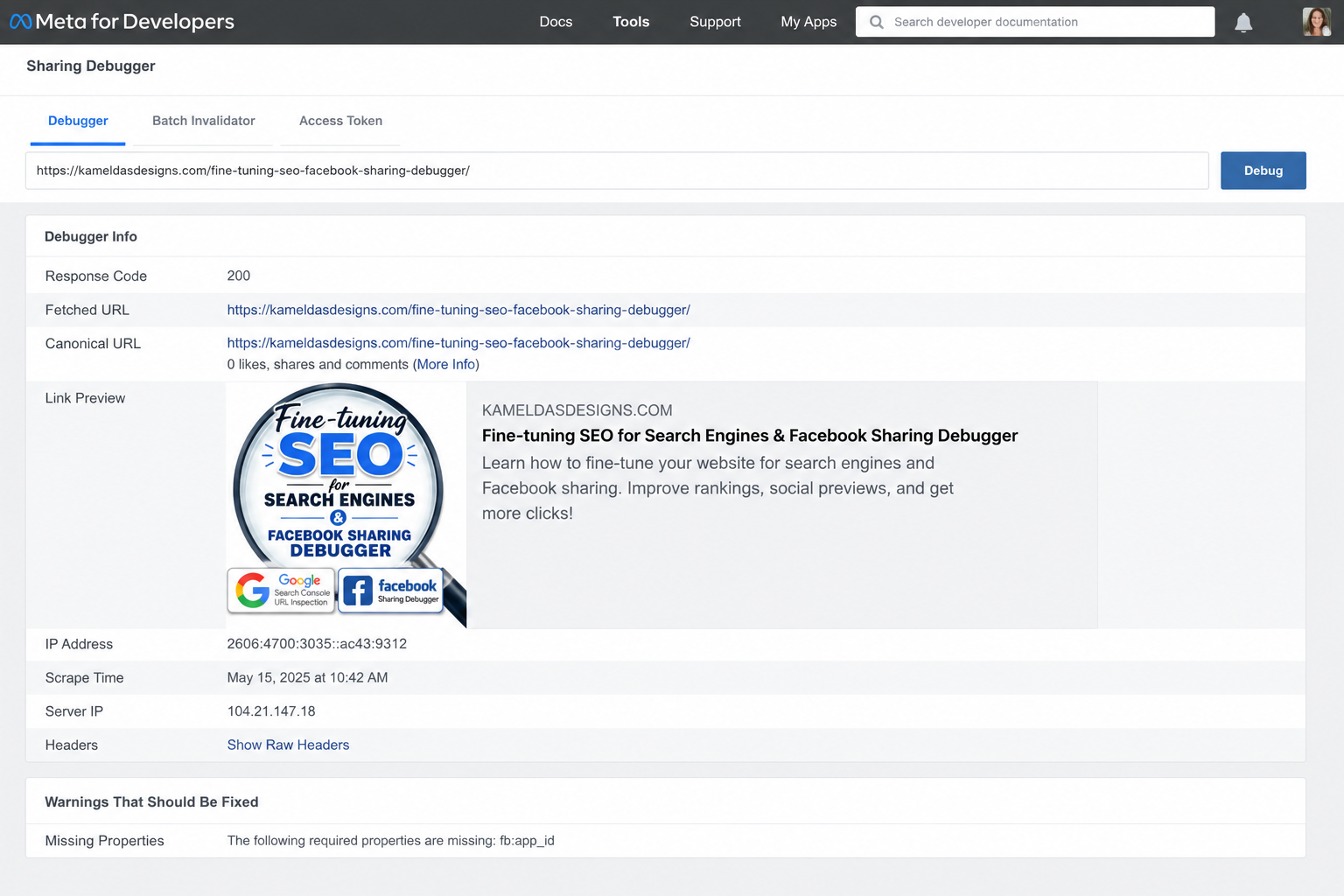
Step 4: Test with Facebook Sharing Debugger
Once Open Graph is configured:
Use:
Facebook Sharing Debugger
This tool lets you:
* Preview exactly how links appear
* Refresh Facebook’s cache
* Detect missing images
* Check Open Graph data
* Force Facebook to pull updated content
If Facebook still shows old content:
1. Open Sharing Debugger
2. Paste URL
3. Click Debug
4. Click Scrape Again
⸻
Step 5: Don’t Forget Technical Cleanup
Before publishing:
☐ HTTPS enabled
☐ Sitemap submitted
☐ Robots.txt checked
☐ Canonical URLs set
☐ Image dimensions optimized
☐ Broken links fixed
☐ Metadata customized per page
⸻
Final Thoughts
SEO and social sharing work together.
Google helps people find your website.
Facebook helps people click your website.
Taking a few extra minutes to fine-tune metadata, indexing, and social previews can make your website look more professional, increase clicks, and improve discoverability.
One page. One link. Better first impressions everywhere.
